Vintage Drive: Classic Car Sim2.2
Publisher Description



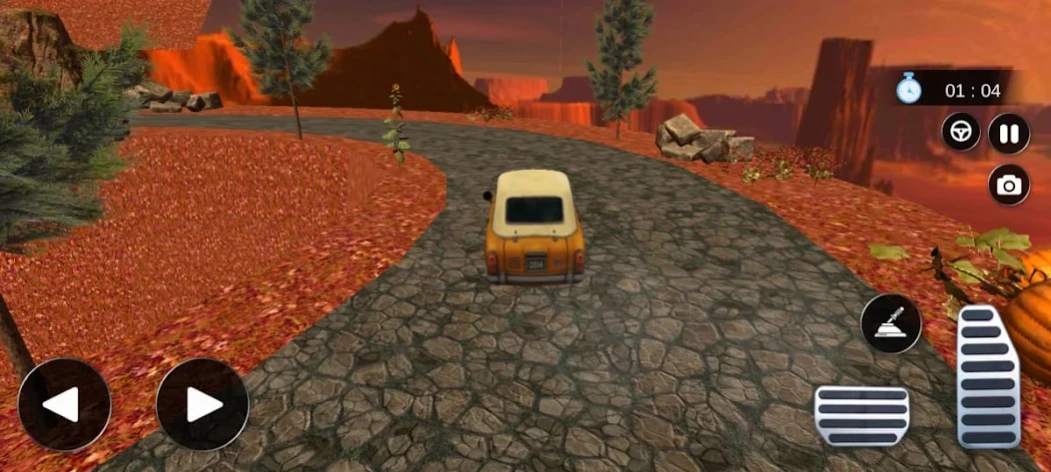
Master the road in a realistic classic car driving simulator.
Experience the ultimate Classic Car Driving Simulator. Vintage Drive realistic driving simulator. Classic Car Sim, an exciting car simulator that brings timeless classic cars, realistic driving mechanics, and thrilling road adventures together in one immersive experience. Realistic retro car driving with classic vehicles, smooth controls, and exciting offline driving challenges.
Are you a fan of retro racing and vintage cars? Get behind the wheel of legendary vehicles in this 3D car simulator. Vintage Drive: Classic Car offers the most realistic car driving experience. Vintage car simulator a classic car driving game for those who love vintage cars, realistic driving simulators, classic racing games, and offline car adventures.
🚗 REALISTIC DRIVING SIMULATOR
Whether you are navigating tight mountain corners or hitting top speeds on the asphalt, this game delivers a classic car racing feel.
Game Features:
• Realistic classic car driving simulator
• Smooth and responsive driving controls
• Multiple vintage and retro-style cars
• Challenging mountain and hill tracks
If you love old cars, retro driving, and fast racing games, download Vintage Drive: Classic Car today and Enjoy
About Vintage Drive: Classic Car Sim
The company that develops Vintage Drive: Classic Car Sim is Games Valley (Miles Fun games). The latest version released by its developer is 2.2.
To install Vintage Drive: Classic Car Sim on your Android device, just click the green Continue To App button above to start the installation process. The app is listed on our website since 2025-10-24 and was downloaded 2 times. We have already checked if the download link is safe, however for your own protection we recommend that you scan the downloaded app with your antivirus. Your antivirus may detect the Vintage Drive: Classic Car Sim as malware as malware if the download link to com.milefungames.real.asphalt.vertigo.drag.racingcar.simulator3d is broken.
How to install Vintage Drive: Classic Car Sim on your Android device:
- Click on the Continue To App button on our website. This will redirect you to Google Play.
- Once the Vintage Drive: Classic Car Sim is shown in the Google Play listing of your Android device, you can start its download and installation. Tap on the Install button located below the search bar and to the right of the app icon.
- A pop-up window with the permissions required by Vintage Drive: Classic Car Sim will be shown. Click on Accept to continue the process.
- Vintage Drive: Classic Car Sim will be downloaded onto your device, displaying a progress. Once the download completes, the installation will start and you'll get a notification after the installation is finished.
Program Details
System requirements
Download information
Pricing
Version History
version 2.2
posted on 2025-10-24
Bugs Fixed
version 1.9
posted on 2023-08-30
UI Improvement
Bugs Fixed
version 1.8
posted on 2023-08-30
UI Changed
Game Play Improvement
Bugs Fixed
